

Take the call without leaving the customer record
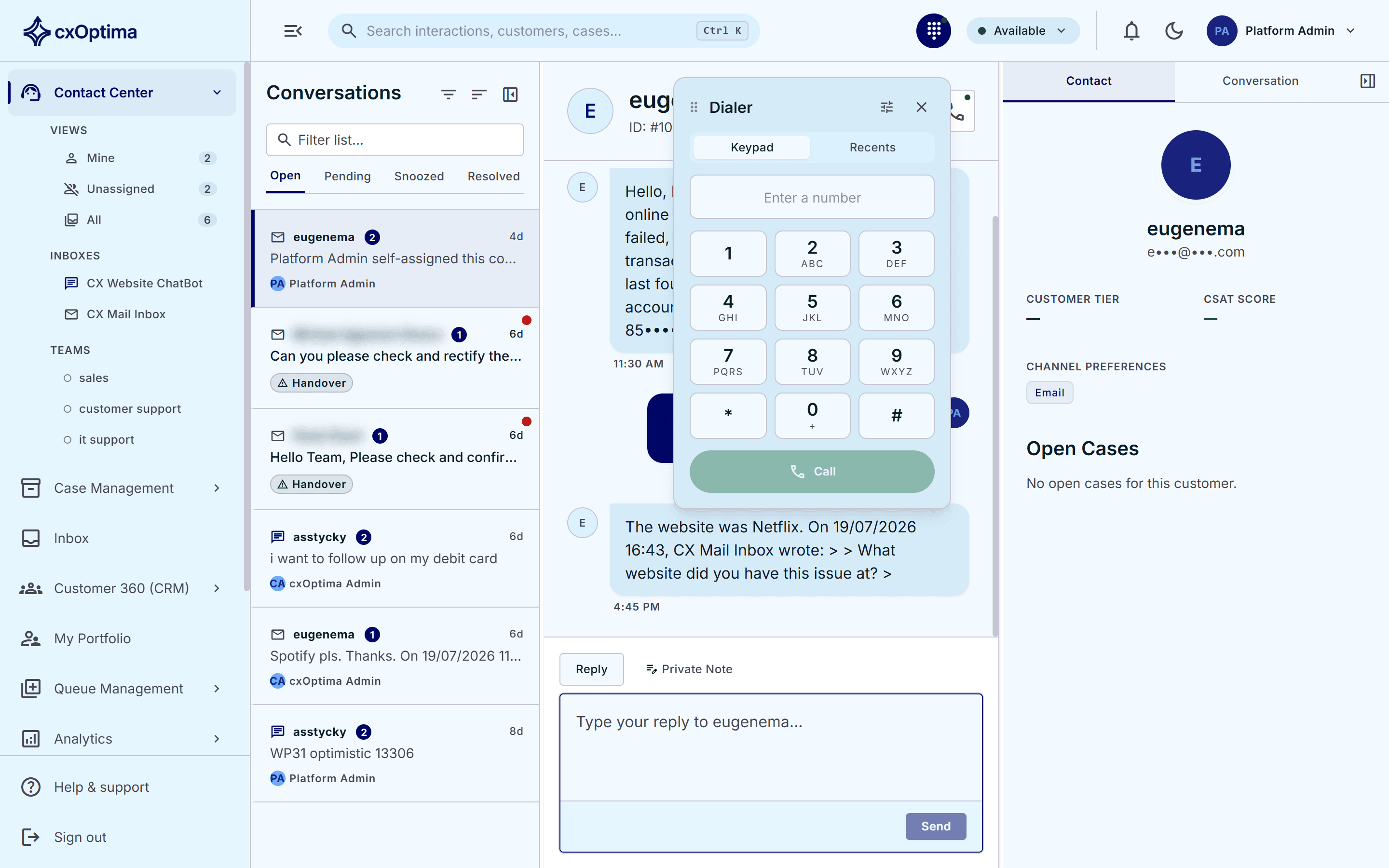
A softphone lives inside the agent desktop — dial from the keypad or click a number on the customer record, and the call is logged against that customer like any other interaction.
Capabilities
What Voice gives you
In-browser softphone
A keypad, call controls and recent calls, embedded in the agent desktop — no separate telephony client on the desktop.
Click-to-call
Dial straight from a customer record, a case or a conversation, so the right number is always the one dialled.
Calls on the timeline
Every call is written to the customer’s activity timeline beside chats, cases and branch visits.
Desktop teller companion
An optional always-on-top desktop app that sits beside core-banking software, so branch staff keep queue and customer context in view while they work.
Availability controls
Agent presence governs call routing the same way it governs chat and email.
One customer, every channel
Voice is a channel of the same platform — not a separate system to reconcile afterwards.
How it works
From first touch to resolved
- 1
Connect
Point cxOptima at your telephony service and assign agents their extensions.
- 2
Call
Agents dial from the softphone or click a number anywhere in the product.
- 3
Record the outcome
The call lands on the customer timeline, and any follow-up becomes a case.
Included
Everything in the module
- Softphone embedded in the agent desktop
- Keypad dialling and recent calls
- Click-to-call from customer, case and conversation
- Calls logged to the customer activity timeline
- Presence-aware routing alongside chat and email
- Optional always-on-top desktop teller companion
- Companion sits beside core-banking software
- Browser-based for agents — no client install required
See Voice on your data
A 30-minute tailored walkthrough with our team — no commitment.