

Digital signage that goes beyond the queue
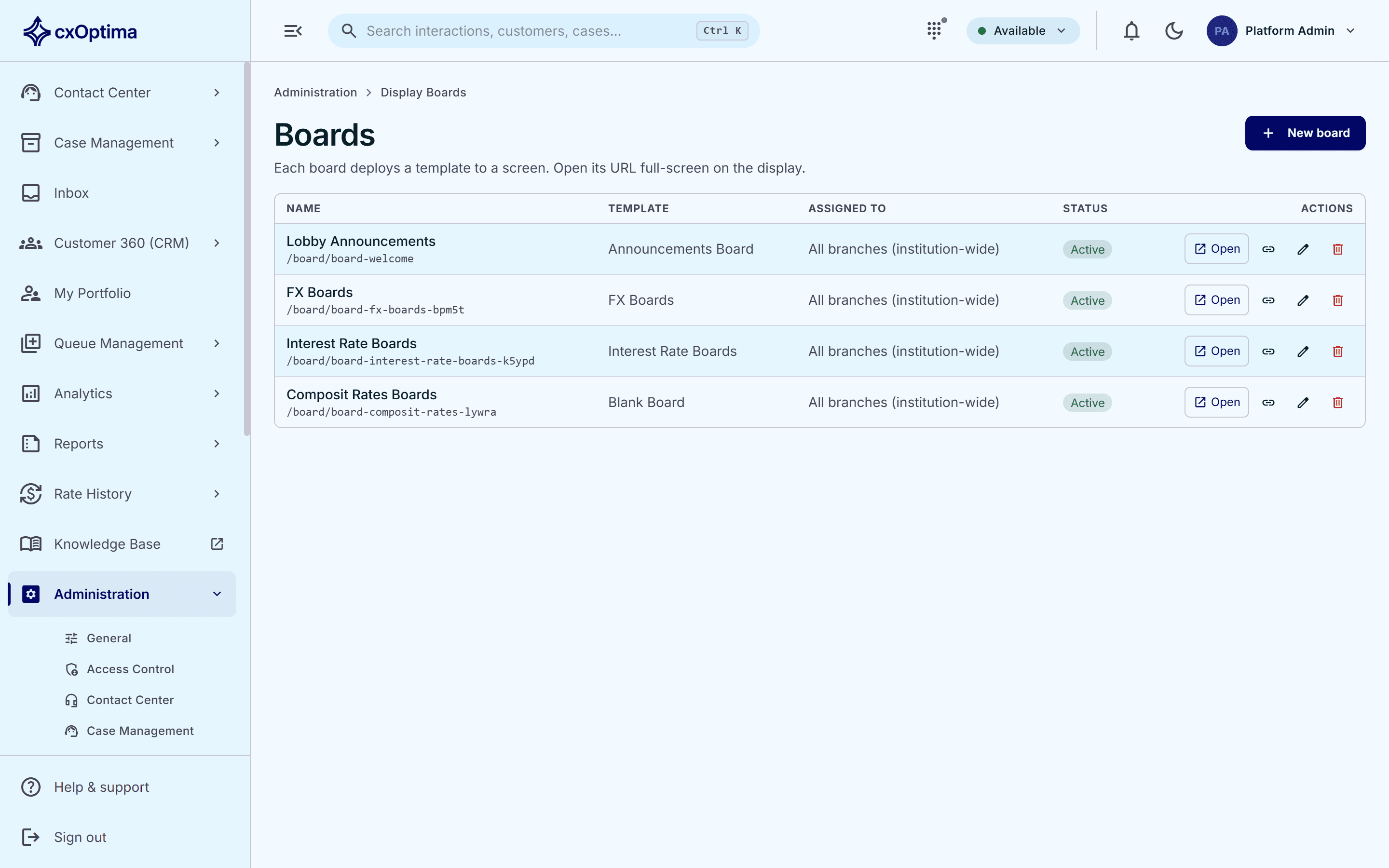
Design boards on a canvas, publish live foreign-exchange and interest-rate tables, and rotate media and messages — every screen in every branch managed from one place.
Capabilities
What Display Boards gives you
Canvas page builder
Design boards block by block with tables, backgrounds, overlays and media, at any size or orientation.
FX & interest-rate boards
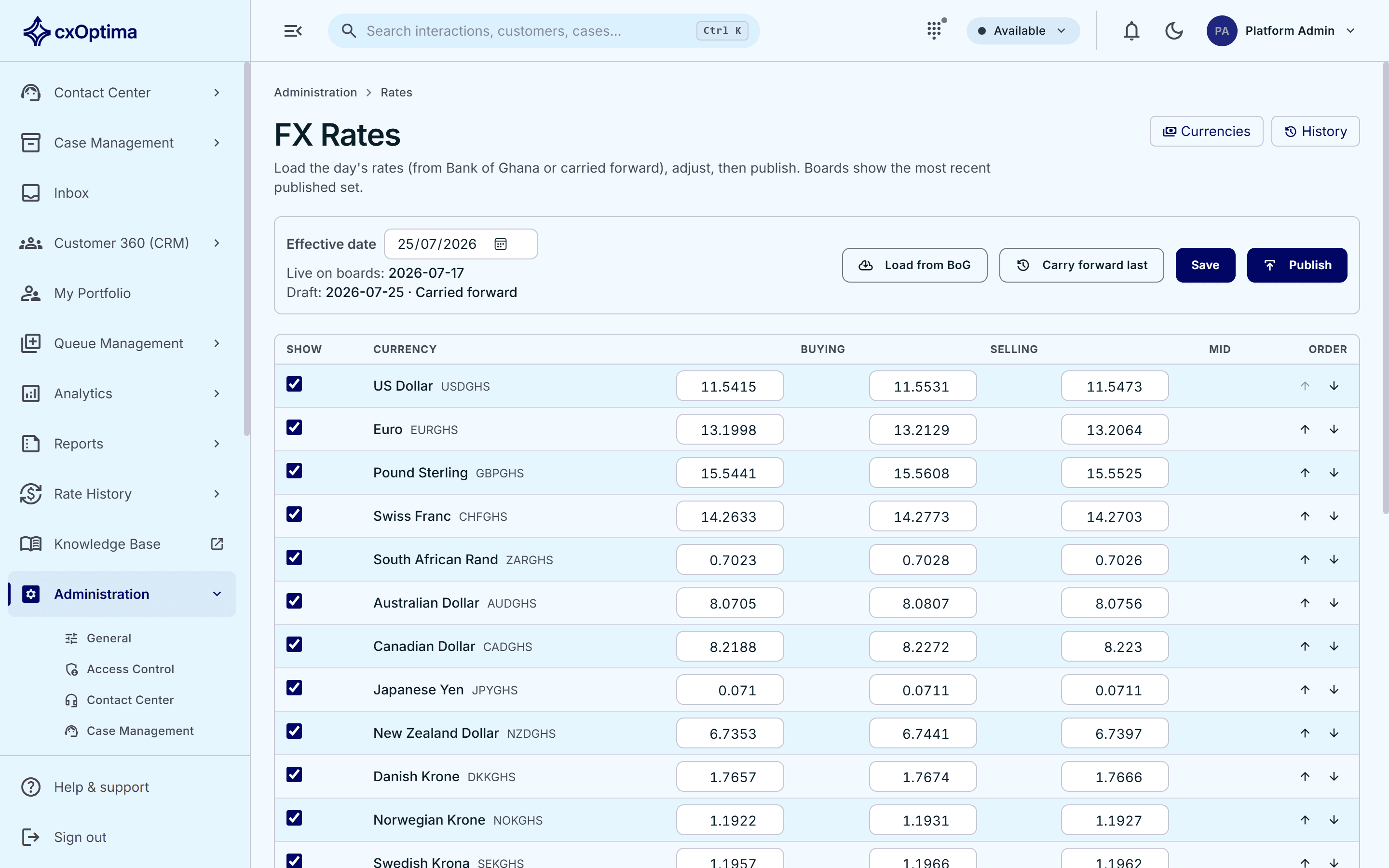
Publish live foreign-exchange and interest-rate tables centrally — load the day’s central-bank rates or carry the previous set forward and adjust.
Media carousels
Rotate promotional media and content while a board is idle.
Content tickers
Scrolling messages keep customers informed while they wait.
Per-branch branding
Every board is configurable per branch — logo, colours and layout.
Refresh & offline-resilient
Boards refresh themselves and survive short outages, like the queue display.
How it works
From first touch to resolved
- 1
Design
Build a board on the canvas and assign it to a branch surface.
- 2
Feed
Connect live data — queue calls, foreign-exchange and interest rates — and media.
- 3
Display
The board runs full-screen, refreshing itself and tolerating outages.
In action
Publish live rates to every branch at once
Load the day’s foreign-exchange and interest rates centrally — or carry the previous set forward, adjust, and publish to every board in the network in one action.
- Block-based canvas designer
- Live queue-calling boards
- Foreign-exchange rate boards
- Interest-rate boards
Included
Everything in the module
- Block-based canvas designer
- Live queue-calling boards
- Foreign-exchange rate boards
- Interest-rate boards
- Central rate publishing to every branch at once
- Media carousels and content tickers
- Per-branch branding and layouts
- Configurable canvas size and orientation
- Automatic refresh and offline resilience
See Display Boards on your data
A 30-minute tailored walkthrough with our team — no commitment.