

Turn branch queues into a smooth, measured experience
Issue tickets at a touch kiosk, serve them from a keyboard-driven teller screen, and call them to a full-screen display board with vocal announcements — one platform, resilient even when the network drops.
Capabilities
What Queue Management gives you
Touch kiosk ticketing
Customers choose a service and receive a numbered ticket with a live wait estimate and queue position. Priority and special-needs lanes are built in.
Teller screen
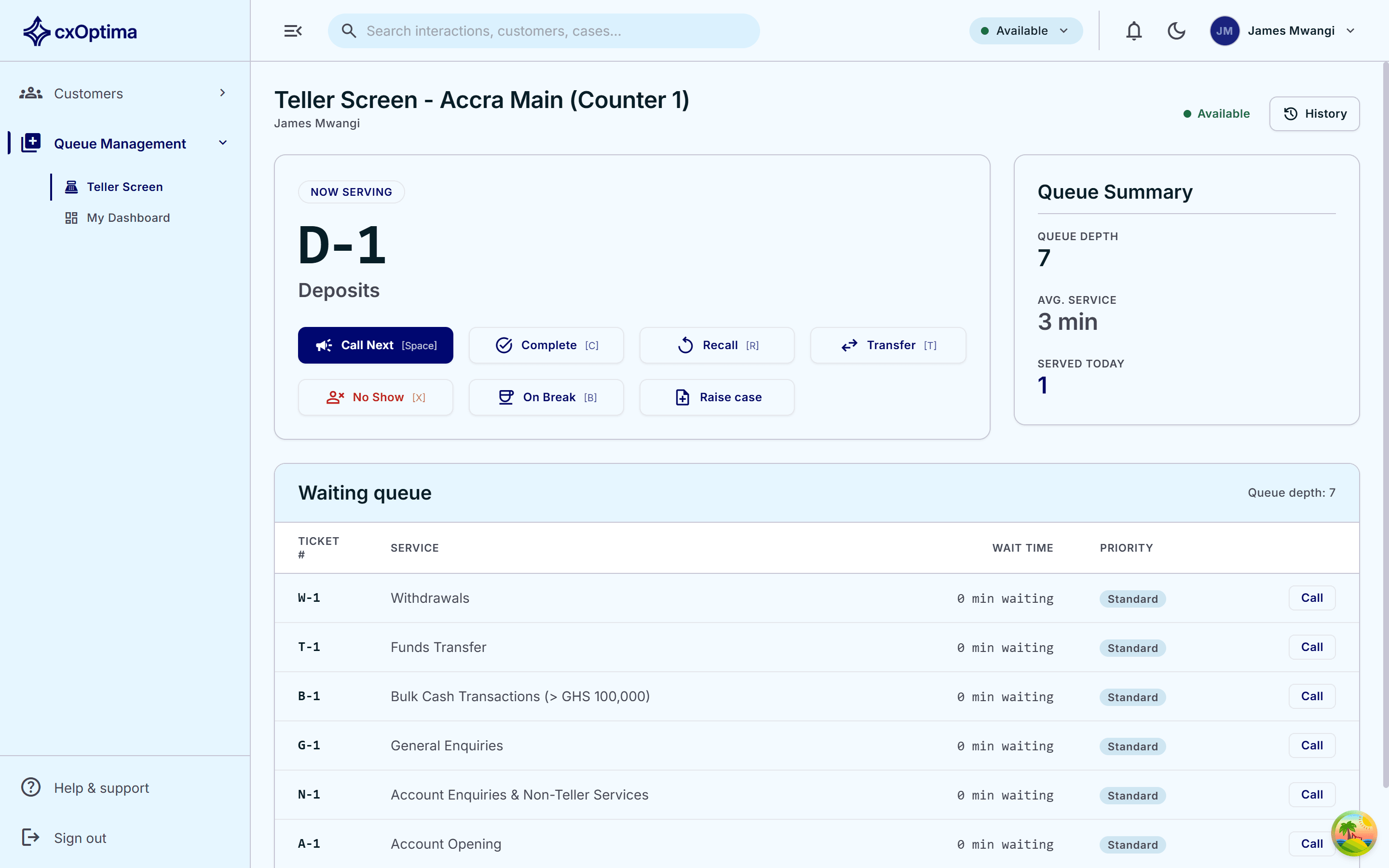
Call next, complete, recall, transfer and mark no-shows — fully keyboard operable and scoped to each teller’s counter.
Display board
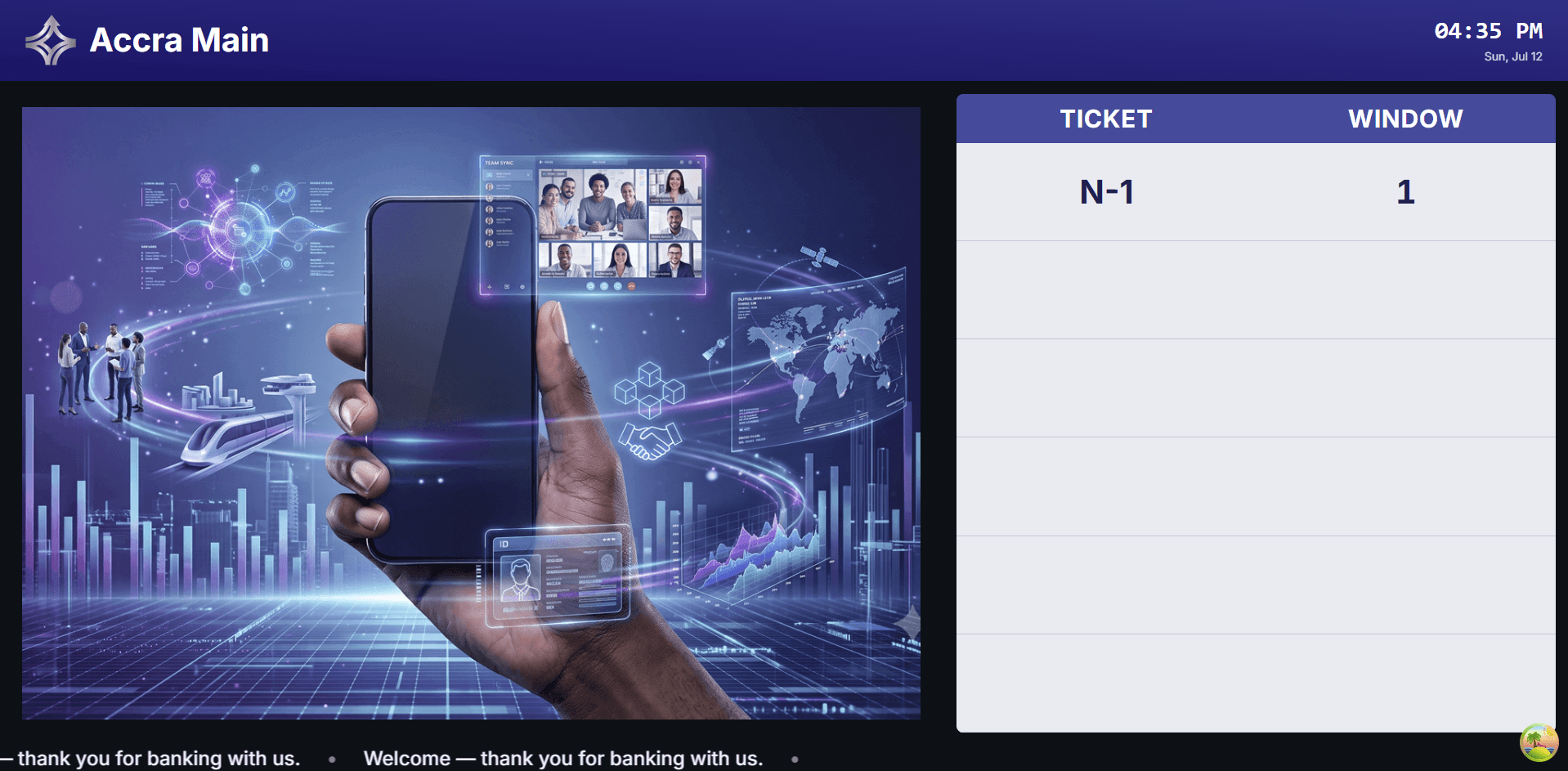
A full-screen, per-branch-branded board announces called tickets with on-screen highlights, readable across the branch floor.
Vocal announcements
Each ticket is called aloud by number and counter, with configurable templates and repeat counts.
Offline-resilient
Teller and display views keep working through a network outage and re-sync automatically on reconnect.
Enforced day start
A branch opens its trading day deliberately, so counters, services and numbering all begin from a known state.
How it works
From first touch to resolved
- 1
Issue
A customer selects a service at the kiosk — or a member of staff issues the ticket — and receives a number.
- 2
Wait
They see their position and estimated wait while the display board shows live progress.
- 3
Call
A teller calls next; the board highlights the ticket and announces it aloud.
- 4
Serve & measure
The teller completes, transfers or recalls — and every step feeds analytics.
In action
A display board customers can read across the branch
Full-screen, per-branch-branded, with highlighted calls, spoken announcements and an idle content ticker.
- Per-branch services, branding, languages and hours
- Priority and special-needs queue categories
- Live wait-time estimates on kiosk and board
- Configurable no-show timeout and recall
Included
Everything in the module
- Per-branch services, branding, languages and hours
- Priority and special-needs queue categories
- Live wait-time estimates on kiosk and board
- Configurable no-show timeout and recall
- Queue transfer between services
- Day Start and Day End branch operations
- Supervisor and teller dashboards
- Thermal ticket printing
- Keyboard shortcuts for every teller action
- SMS and email notification on ticket events
See Queue Management on your data
A 30-minute tailored walkthrough with our team — no commitment.