

Run the whole institution from one console
Branches, users, roles and permissions; the appearance of the staff product and the brand your customers see; which capabilities each branch has; and an audit trail across all of it — in a single administrative console.
Capabilities
What Administration & Platform Control gives you
Role-based access control
Roles from platform administrator to front-line staff, scoped by platform, group or branch — with an editable permission model, enforced on the server rather than hidden in the interface.
Branch administration
Provision branches, counters, services and operating hours, and set what each one offers.
Appearance
The whole staff product re-skins from one design system, so cxOptima carries your institution’s identity end to end.
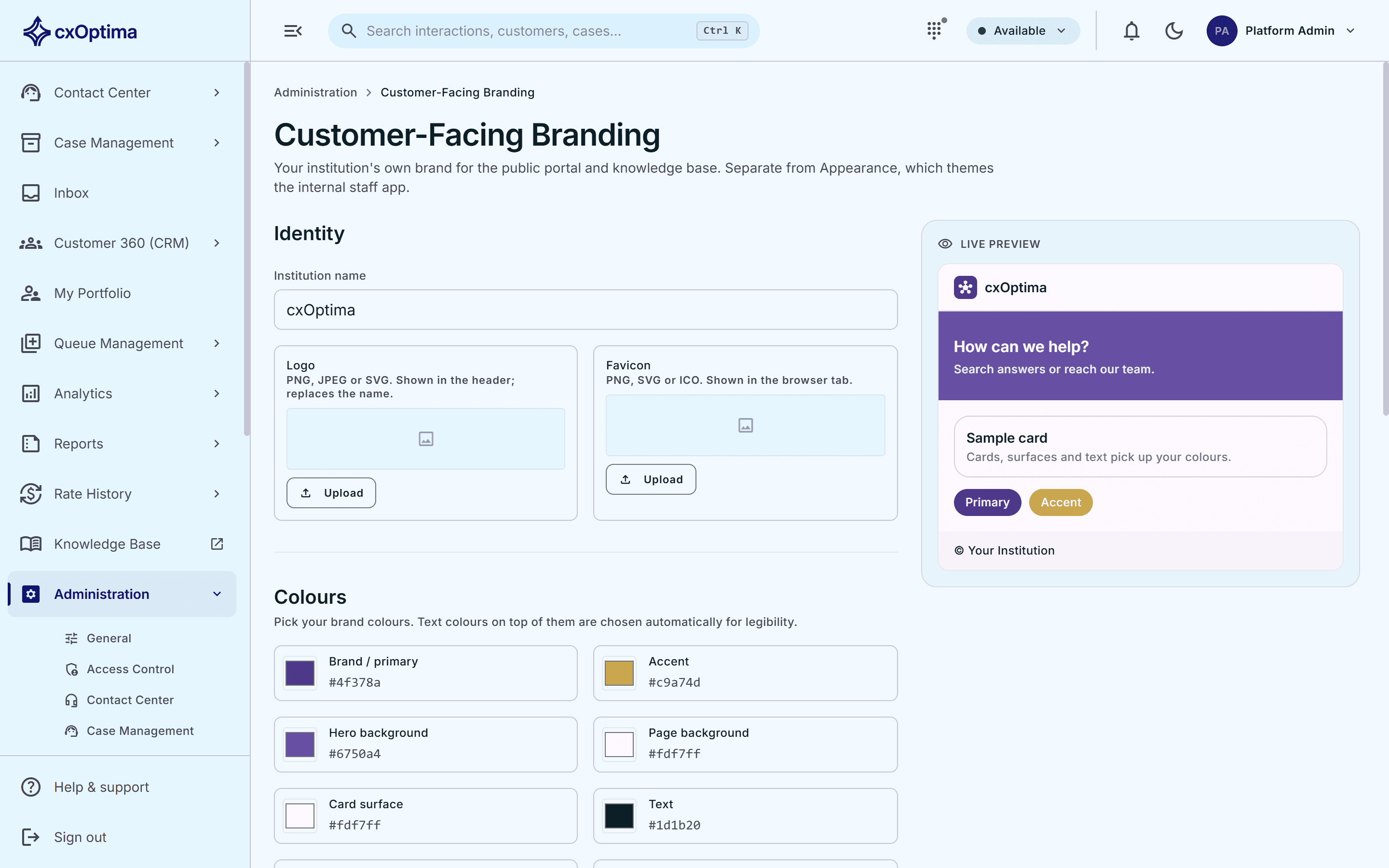
Customer-facing branding
A separate brand layer lets you present the portal, knowledge base, kiosks and display boards as your own, distinct from the staff theme.
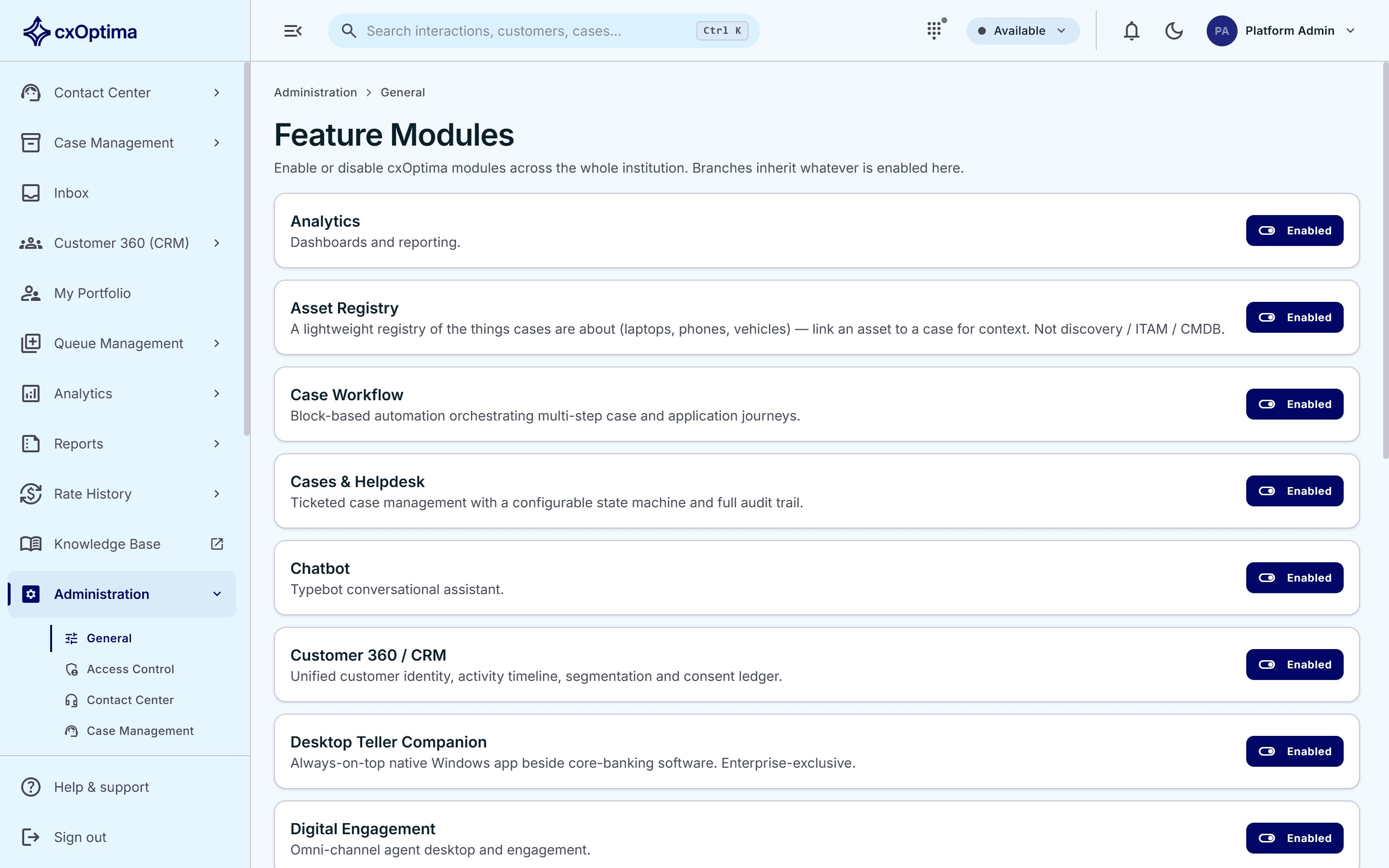
Capability activation
Activate only the capabilities each branch needs, governed by signed offline entitlements that the platform verifies locally.
Audit trail
Sensitive actions across every module are recorded to an append-only log administrators can review.
How it works
From first touch to resolved
- 1
Structure
Set up branches, teams and services the way the institution is actually organised.
- 2
Authorise
Assign roles and tune the permission model to your separation-of-duties rules.
- 3
Brand
Theme the staff product and, separately, the customer-facing surfaces.
- 4
Govern
Activate capabilities per branch and review the audit trail.
In action
Two brands, one platform
Theme the staff product from one design system, then brand the portal, knowledge base, kiosks and display boards separately — so your customers see your institution, and your teams see one product.
- Branch, counter and service administration
- User, role and team management
- Editable permission model, server-enforced
- Platform, group and branch scoping
Included
Everything in the module
- Branch, counter and service administration
- User, role and team management
- Editable permission model, server-enforced
- Platform, group and branch scoping
- Single sign-on across the whole platform
- Appearance theming for the staff product
- Separate customer-facing brand layer
- Per-branch capability activation
- Signed offline entitlements, verified locally
- Append-only audit log across every module
- Institution-wide settings in one console
See Administration & Platform Control on your data
A 30-minute tailored walkthrough with our team — no commitment.